
Partially paid withdrawal: check approved, received and pending amounts
Published — UTC

A withdrawal request, its approved amount and the amount received are separate stages. If only part of an approved request has arrived, do not record the whole approval as money already received.
A fictional split-payment ledger
Assume a request for 140 units. A notice approves 110 and rejects the other 30. Two confirmed payments of 50 and 30 arrive. All figures use the same currency; no fees or exchange conversion apply.
| Stage or remainder | Units | Meaning in this example |
|---|---|---|
| Requested | 140 | Original instruction |
| Approved | 110 | Amount accepted for processing |
| Received | 50 + 30 = 80 | Two confirmed incoming payments |
| Approved but not yet received | 110 − 80 = 30 | Outstanding within the approval |
| Rejected part | 140 − 110 = 30 | Outside that approval |
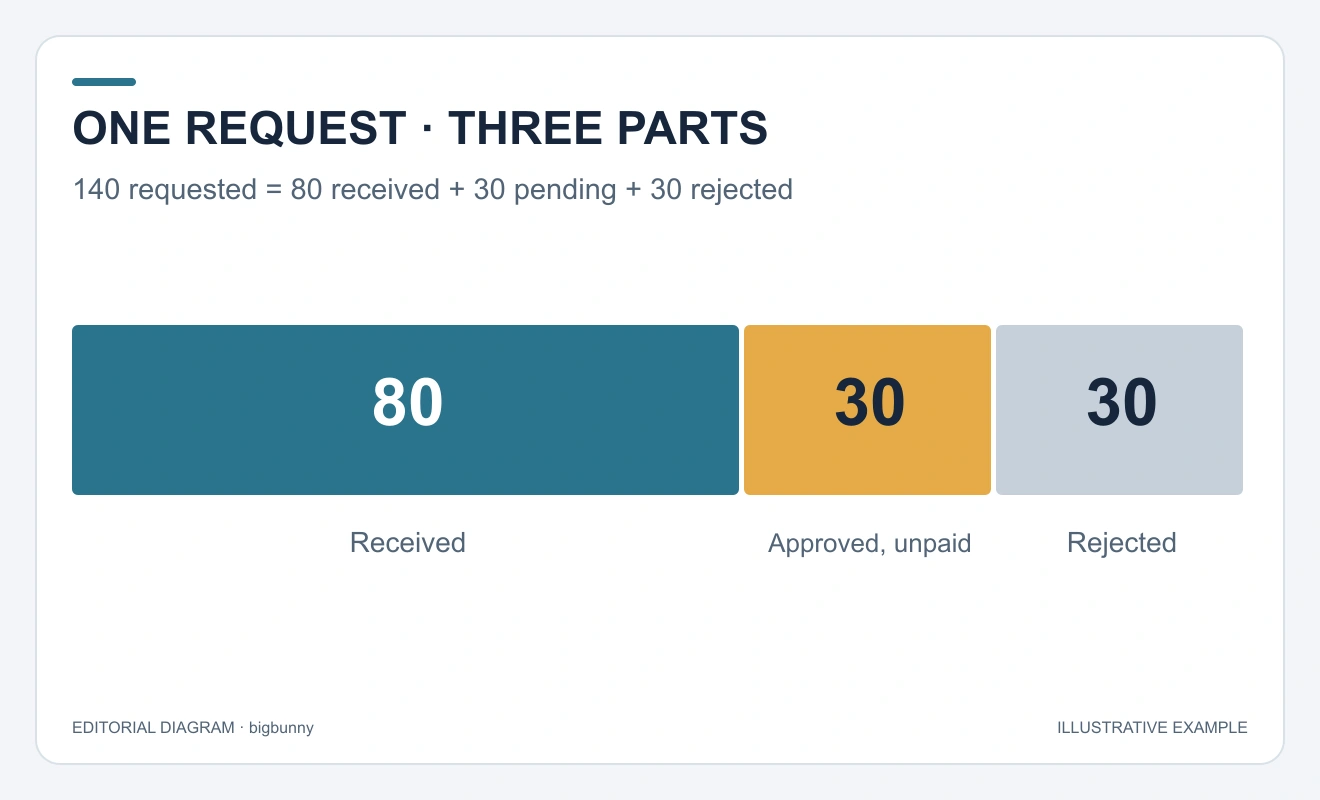
The two remaining amounts happen to be equal. They are different states: 30 is pending payment and another 30 was rejected. Combining them as “60 pending” mislabels the request.
Match each payment to the request
Preserve the request ID, approval notice and the references for both incoming payments. A notification or processing screen alone is not the same evidence as a confirmed payment. Check for reversals and whether the amounts are gross or net before applying this worksheet.
The British UKGC customer-account-information standard is a reference for account transaction records. It does not establish bigbunny’s processing policy, approval criteria or delivery time.
Check whether a payment belongs to this withdrawal
Two payments arriving on the same day do not automatically belong to the same request. Match the payment reference to the request or to a written allocation from the provider. If one transfer covers several requests, record that split explicitly. Do not assign the entire transfer to each request.
Keep the amount actually received in the destination account separate from the amount displayed as sent. If a fee or currency conversion is involved, the simple 140-unit worksheet no longer applies unchanged: record the original currency, the amount sent, the fee and the received currency before comparing totals.
A reversal changes the ledger again
If the fictional 30-unit second payment is later reversed, confirmed receipts fall from 80 to 50. The approved balance then becomes 110 − 50 = 60, provided the approval itself remains unchanged. Keep the reversal linked to its original payment instead of deleting the history; otherwise the earlier 80-unit total cannot be explained.
What to include when the figures still disagree
- The withdrawal request ID, original amount and currency.
- The approval or rejection notice and its timestamp.
- Each confirmed payment reference, received amount and any reversal.
- Your calculation of the remaining approved amount, with the exact field that differs.
Send that focused record through the provider’s verified support channel. Mask unrelated account details and never include passwords or one-time codes. This worksheet identifies an accounting difference; it cannot establish a processing deadline or prove why a payment is delayed.